
Distributor and van sales
For distributors and wholesalers who sell from vans on fixed routes.
The daily problem
Your salesmen leave in the morning with a van full of stock and come back in the evening with cash, bills and a story. Nobody can say what is left on the van, which shop was visited, or whether the cash in hand matches what was sold. At the office, you chase the same shops for dues and wonder which salesman is owed what commission.
What you can do
- Keep your vans, their papers and the crew for each day. A warning shows when insurance or fitness papers are about to expire.
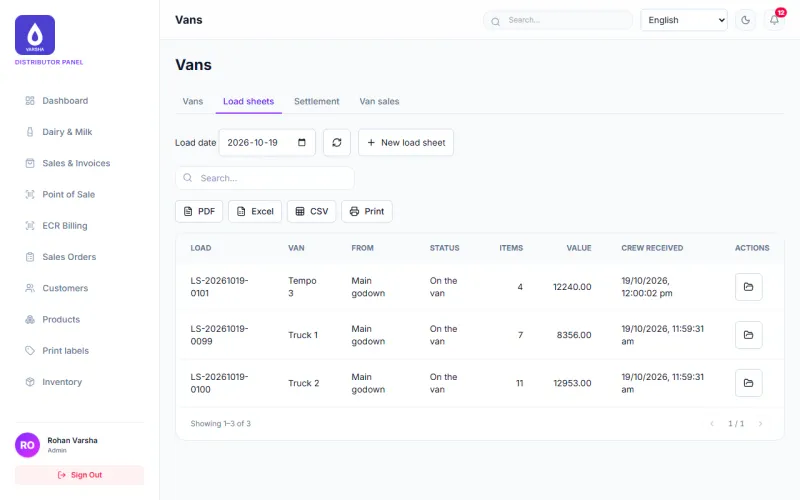
- Make a load sheet for each van and day. Stock moves to the van when you dispatch it, and unsold stock comes back when you return it.
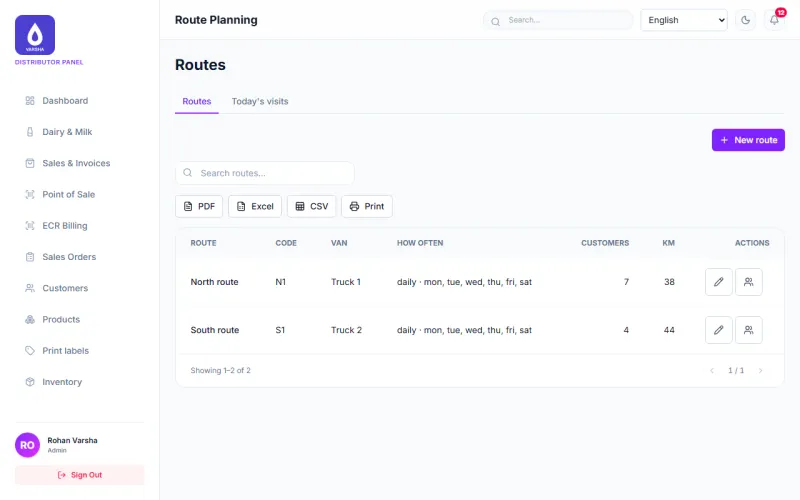
- Plan routes by weekday and put shops on them in order. Salesmen log each visit with the order amount and money collected.
- Bill and collect money on the phone. Each van phone keeps its own bill number series, so two phones are very unlikely to clash.
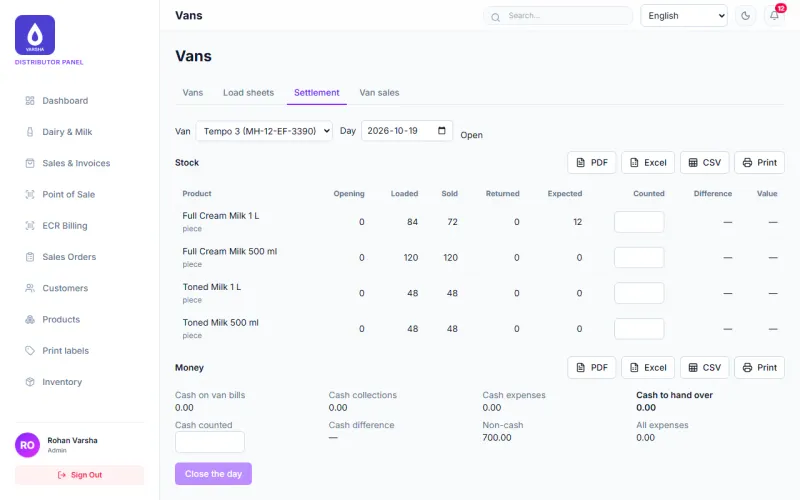
- Close the day with expected stock and cash against what was counted. A closed day is frozen until you reopen it with a reason.
- See sales by van, route and salesman. Reports download as PDF, Excel and CSV and print.
- Work out salesperson commission, payouts and a statement for each person.
- Import your customer list from a CSV file.
How a day goes
- The office makes the load sheet and dispatches it. The stock moves to the van.
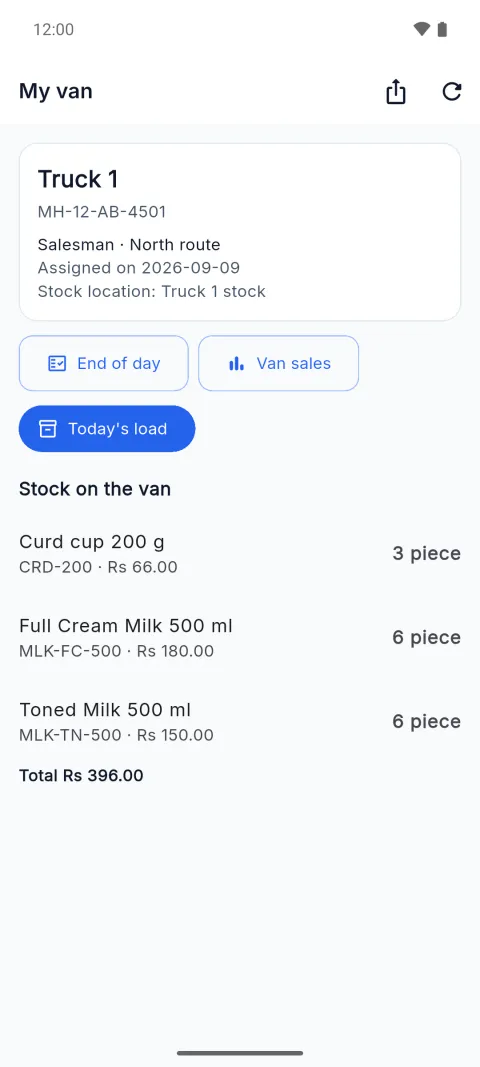
- The crew confirms what they received on the phone.
- On the route, the salesman logs each visit, bills, and collects money. Sales are saved on the phone when there is no network and sent later.
- Back at the depot, unsold stock is returned and the day is closed with a cash and stock count.
- The office looks at sales by van, route and salesman, and at what each shop still owes.
What is still in beta
- The Android app is in final testing on real phones.
- Credit Profile and the Customer Portal are built and tested, but not yet confirmed in real use. The credit suggestion is advice only.
- Office tasks such as creating loads, dispatching them, and reopening a closed day are on the web only.
Coming soon
- E-way bills for goods on the move, made from your bills and load sheets. Planned, not built yet.
Questions
Does the van phone work without network? Billing and payments are saved on the phone and sent when the network is back. Some tasks, such as closing the day, need a connection.
Can a salesman see my costs? Not on the screens. The ready-made Salesman role has no reports, discounts or voids, so cost and profit screens stay hidden. You can change what each role may do. The product data the app sends to a phone still includes cost prices, and that is on our list to fix.
Modules to switch on
Each card shows what is ready today. Open a card for the full note.
Van Distribution
AvailableVans and their papers, crew per day, load sheets, stock on each van, shop visits on a route, and the end-of-day settlement.
Billing and sales
AvailableMake bills and tax invoices, take cash, UPI, card or credit, print or download a PDF, and see every sale.
Customers and suppliers
AvailableKeep customers and suppliers with GSTIN and PAN checks, branches and addresses, credit limits and dues. Import your list from a CSV file.
Products and stock
AvailableProducts with sizes and units, stock in each godown, batches and expiry dates, transfers and stock counts.
Salesperson commission
AvailableCommission earned per salesperson, what you owe them, payouts and a statement for each person.
Android app
BetaBill, collect money, record milk and visit shops from a phone or tablet. Counter sales keep working without network and are sent later.
Final testing on real phones and POS tablets is still going on.
Credit Profile
BetaSee how a customer pays or how steadily a farmer supplies, with each reason shown, and a suggested limit. You decide.
Built and tested, but not yet confirmed in real use. It is a suggestion only.
What it looks like
See it with your own work
Tell us what you buy, sell and collect each day. We will show you the parts that fit and say plainly which are still in beta.